Changelogs
Stay up to date with the latest changes and enhancements.
Stay up to date with the latest changes and enhancements.

08. Oct 2026
Share
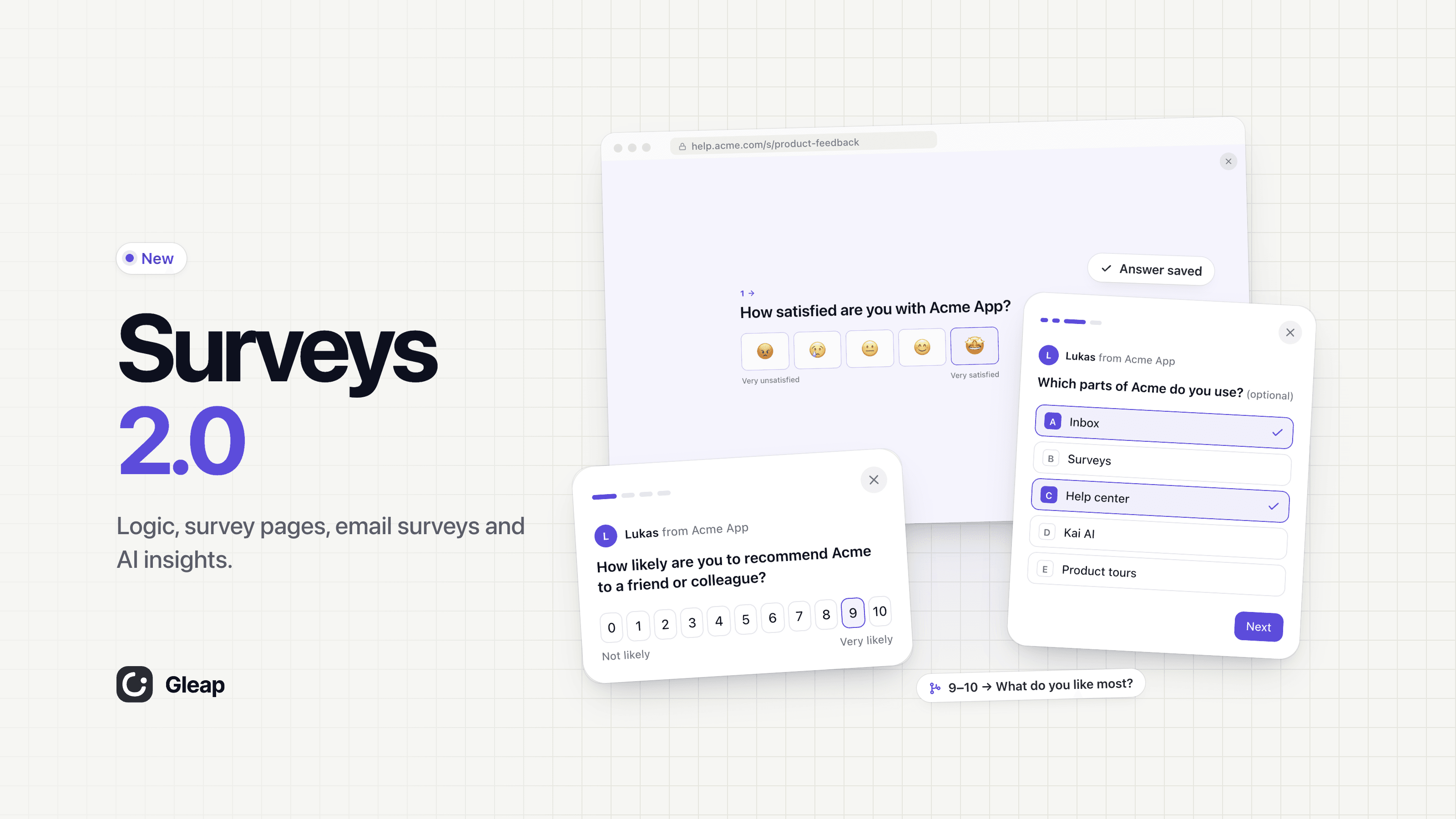
Surveys 2.0 is live. We rebuilt surveys from the ground up: a new editor, logic that sends every answer down the right path, a survey page on your own domain, email surveys and results that read the answers for you.
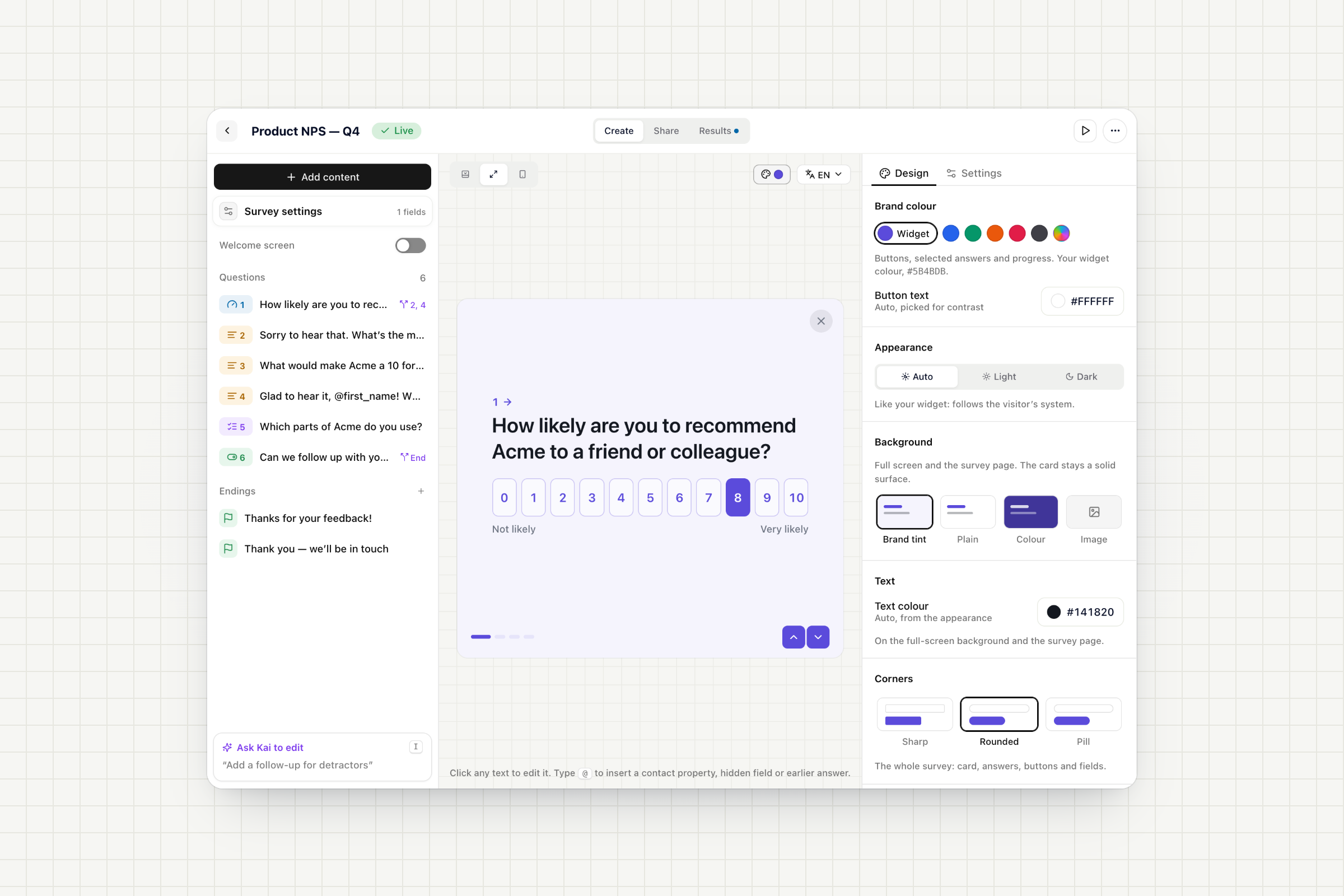
Click any title, choice or label in the preview and start typing. Switch between card, full screen and mobile to see exactly what people will see.
15 question types: NPS, CSAT, star rating, custom scale, single and multiple choice, yes/no, short and long text, email, number, date, file upload, statement and consent.
Welcome screen and endings: open with a welcome screen and finish with as many thank-you screens as you need, each with its own button, redirect or contact tag.
Design per survey: brand colour, light or dark, a tinted, coloured or image background, sharp, rounded or pill corners, and your logo.
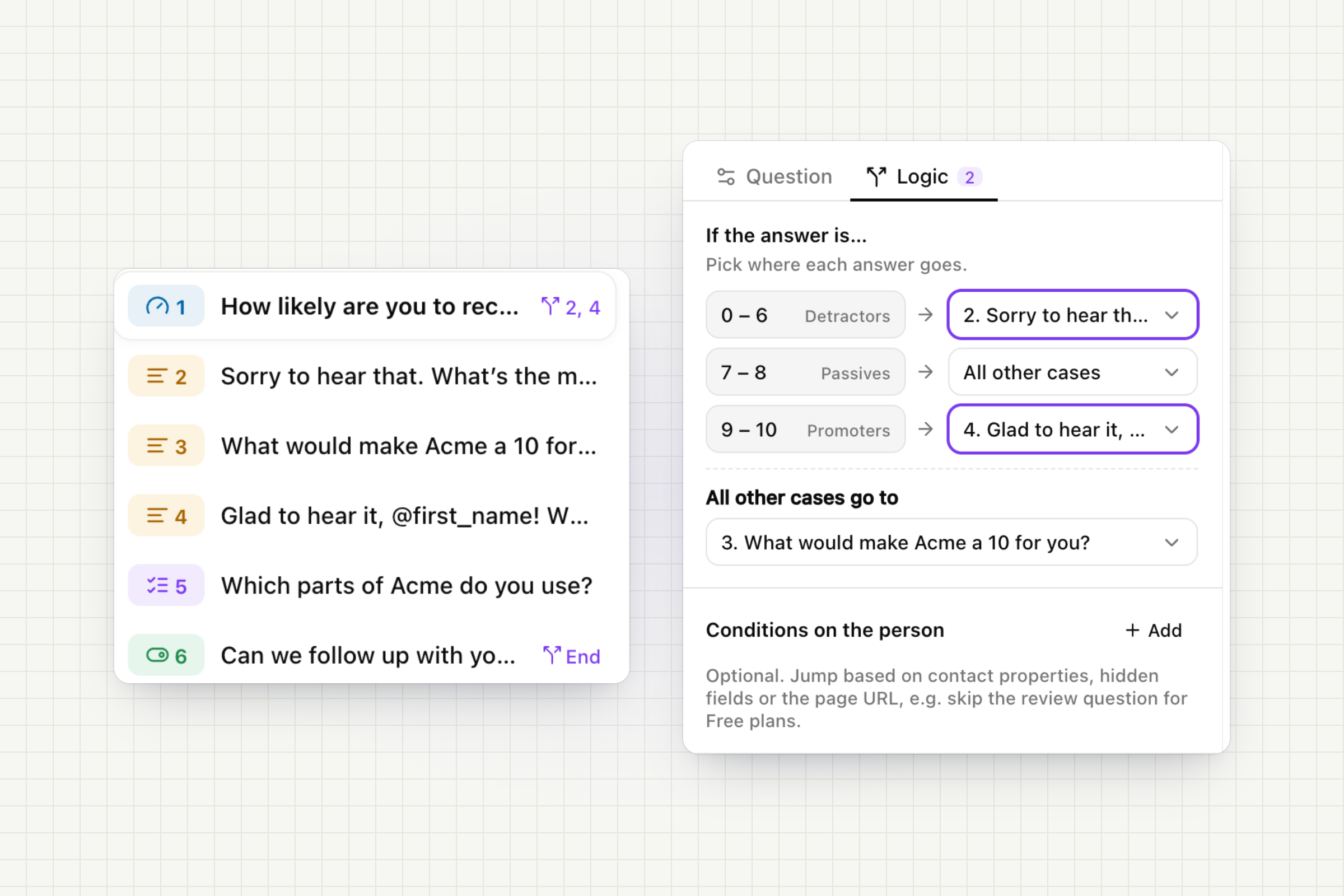
Send every answer where it belongs.
Go to, per answer: NPS 0–6, 7–8 and 9–10, each choice, or Yes and No can jump to a later question or straight to an ending.
Conditions on the person: branch on contact properties like the plan, on hidden fields or on the page URL.
Personal questions: type @ to insert a contact property, a hidden field or an earlier answer. "Glad to hear it, Anna!"
Safe to publish: before you publish, Gleap checks that every question can be reached and every path ends.
Answers are saved the moment they're given. People who stop halfway count as partial responses, so you see where they left, and a reminder can bring them back to the question they stopped at.
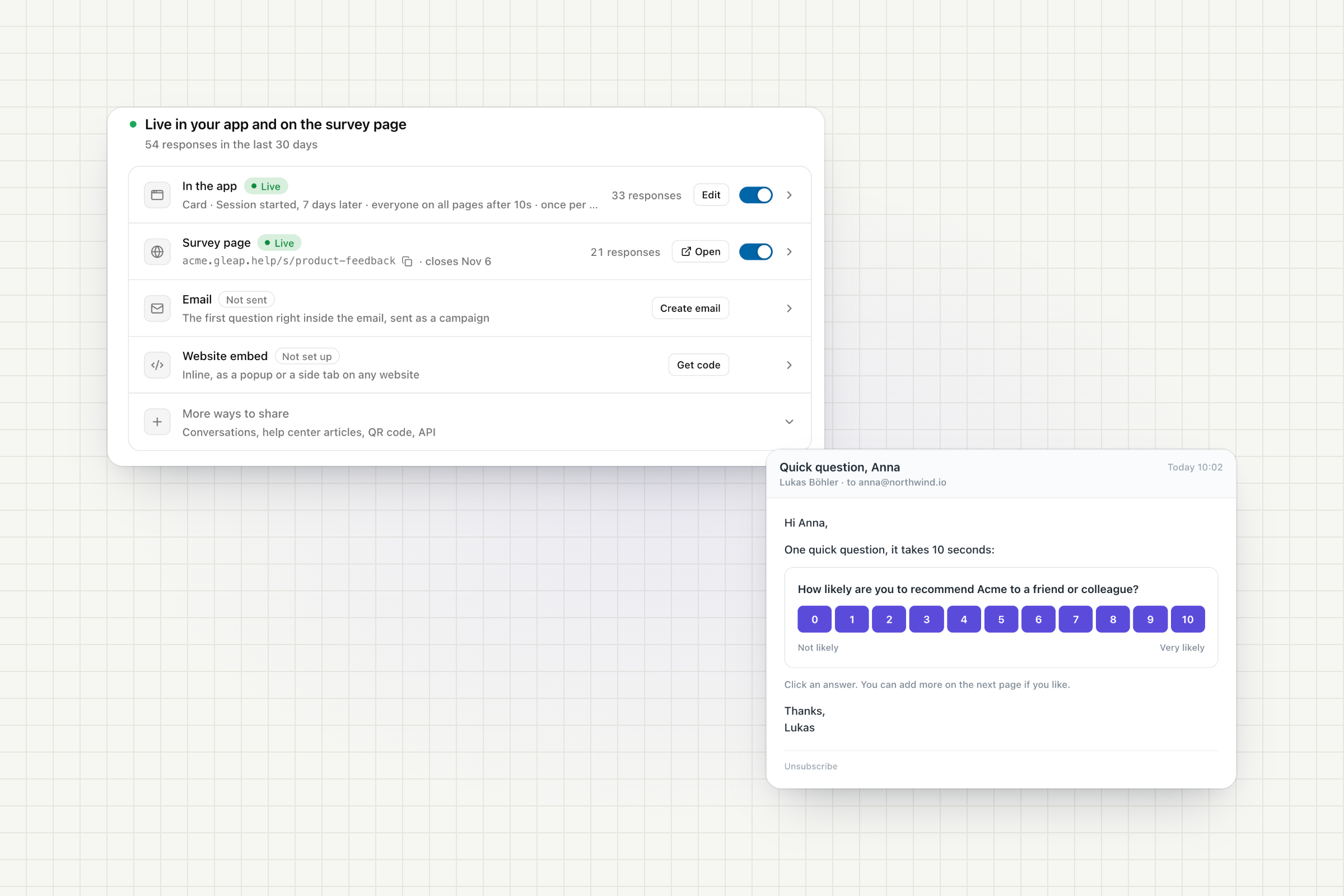
Every survey runs wherever you reach people, and every channel feeds the same results.
In your app: as a compact card or full screen. On phones, the card becomes a bottom sheet.
Email: put the first question right inside the email. One click saves the answer and opens the rest on the survey page. Add a reminder for people who haven't answered yet.
Website embed: inline, as a popup or as a side tab on any website.
And more: start a survey from a conversation, link it in help center articles, print a QR code or use the API.
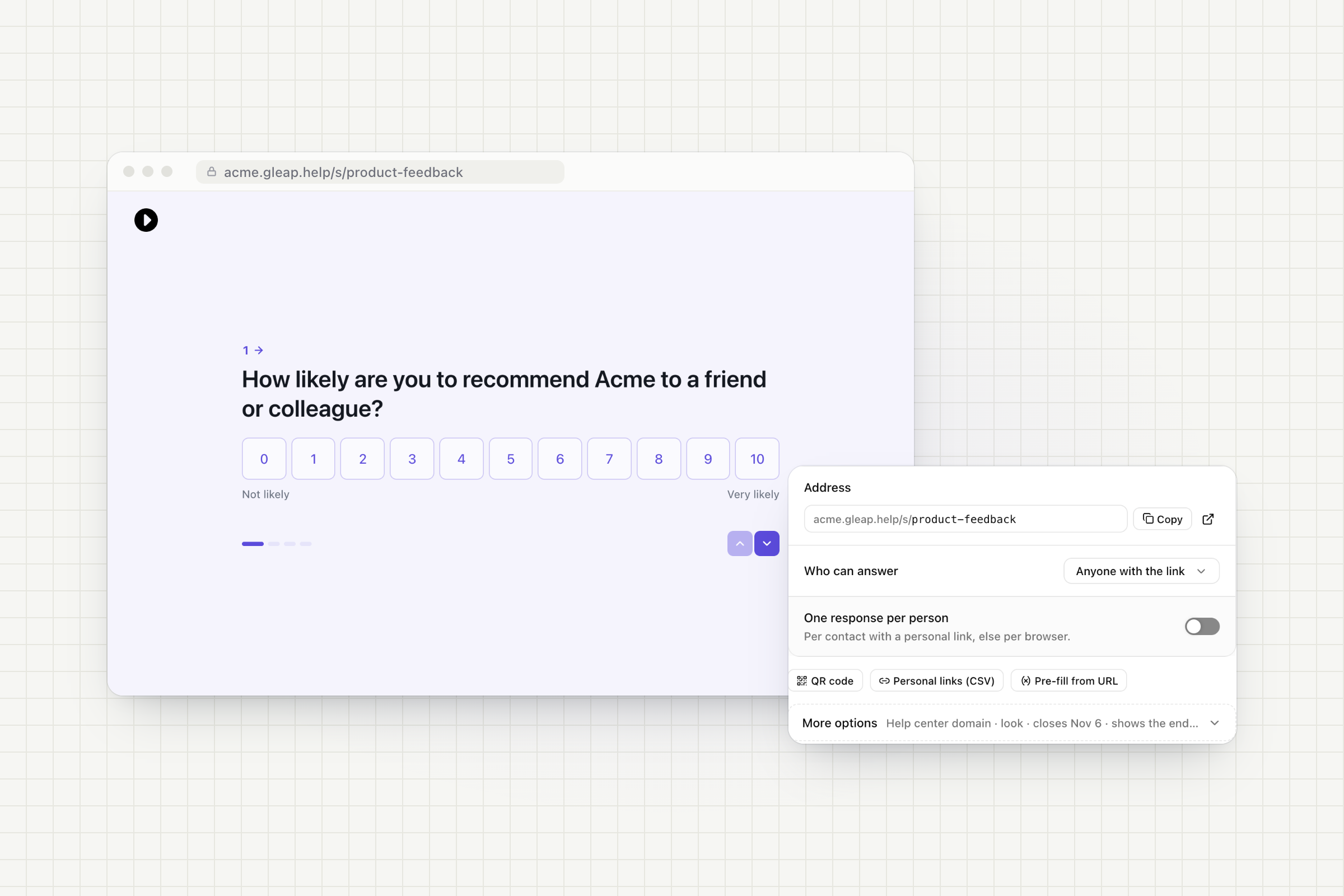
Every survey gets its own page on your help center domain, like help.yourcompany.com/s/product-feedback, with your logo, colours and languages.
Personal links: attach answers to known contacts without a login. Create one link per contact, also as a CSV for your email tool.
You decide who answers: anyone with the link or personal links only, one response per person, a closing date or a response limit.
Pre-fill from the URL: pass hidden fields like a plan or a campaign along with the link.
Link previews: pasted links unfurl with a preview of the first question.
Old links keep working: survey links from before Surveys 2.0 now open the new page.
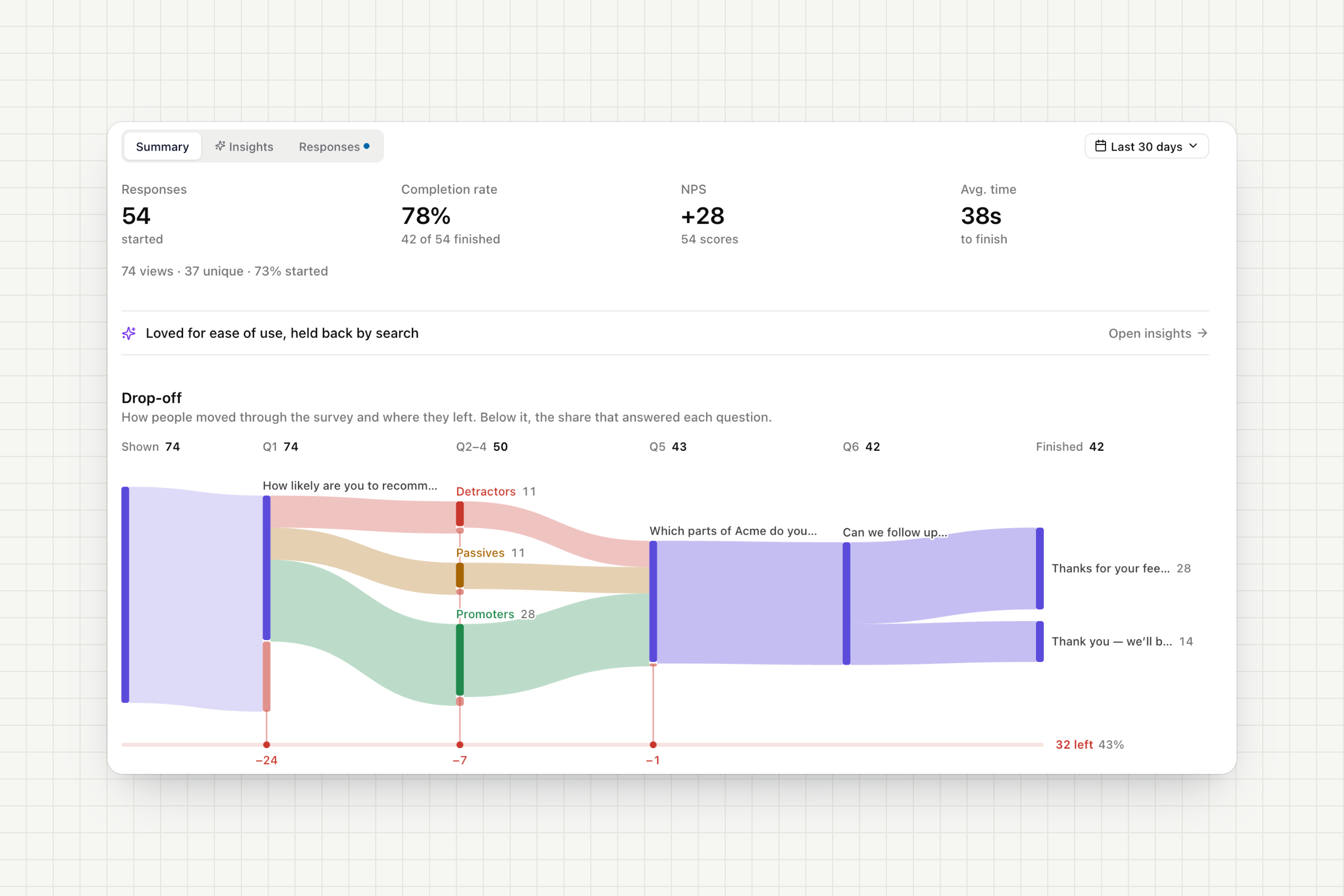
Survey responses no longer land in your inbox as tickets. Every survey has its own results instead.
Summary: responses, completion rate, NPS and time to finish, compared with the previous period.
Drop-off: a flow chart of how people moved through your survey and where they left. Click a step to see the responses behind it.
Responses: filter by status, score, theme, device or text, see the path each person took and reach out with a message or an email linked to their answer.
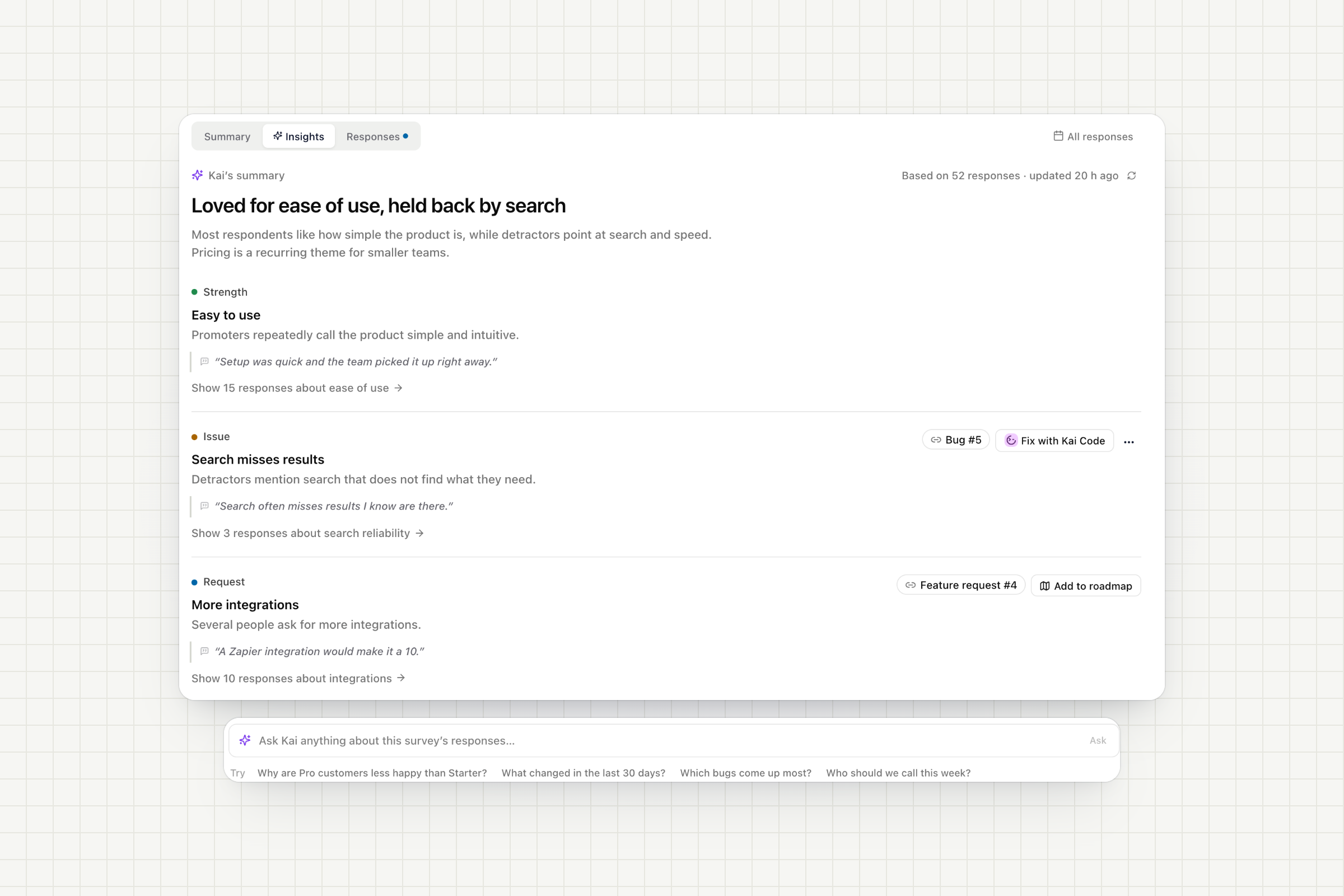
Themes and summary: Kai tags every open answer with themes and sentiment and sums up what people love and what holds them back.
What changed: see when a theme suddenly comes up more often this week.
Ask Kai: ask in plain language, like "Why are Pro customers less happy than Starter?", and get an answer that cites the responses it's based on.
Act on it: create a bug, add a request to your roadmap or let Kai Code fix an issue, right from the theme.
Ask Kai to edit: describe a change in the editor, like "Add a follow-up for detractors" or "Translate to German", then keep or undo it.
Survey completed workflows: follow up with detractors, open a ticket, email the respondent, notify a teammate or update a contact, with conditions on the answers.
Webhooks and integrations: send completed and partial responses, or every single answer, to your own tools. Slack, Discord, Zapier and email notifications keep working.
Claude, ChatGPT, Cursor and any other AI agent can run surveys for you through the Gleap MCP server, from the first question to the follow-up.
Build: "Ask customers who just upgraded how onboarding went." The agent writes the questions, logic, endings and design, and checks that every path works.
Target: it picks the audience from the events and contact properties you already track and previews how many people will see the survey.
Launch: say "launch it" and the agent publishes the survey and switches it on in your app.
Learn: the agent reads the results, Kai's themes and summary, and answers questions like "What do detractors complain about most?", citing the responses behind each answer.
Follow up: it searches answers across all surveys and drafts a personal reply to any respondent, sent once you approve it.
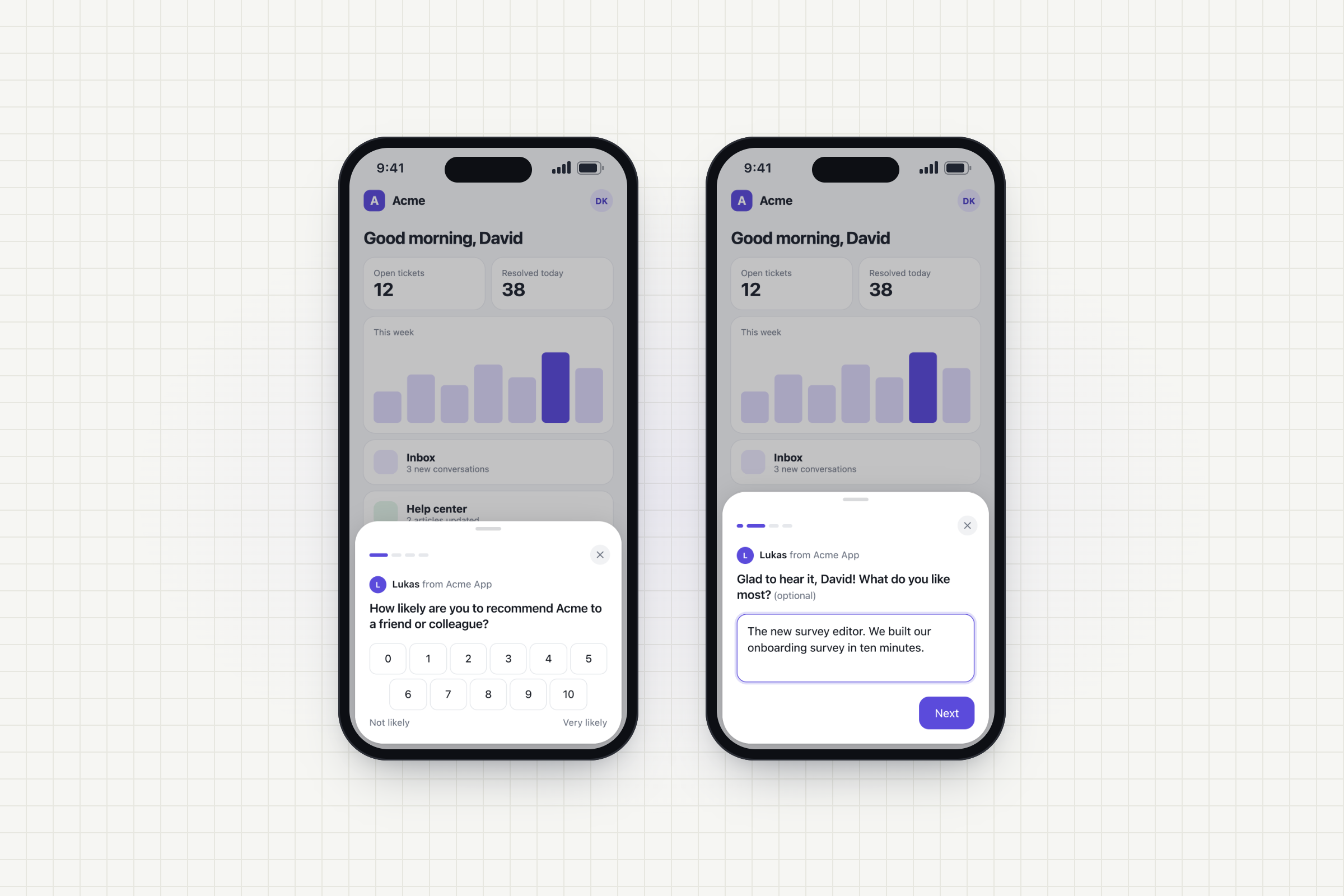
The new survey design runs in every Gleap SDK, on web, iOS, Android, React Native, Flutter and Capacitor, including the version you already have. Update to JavaScript SDK 19.2.0 for the new web containers: a bottom sheet on phones, true full screen and inline embeds.
We moved your existing surveys to Surveys 2.0 automatically, with all of their answers. Past answers now show up as responses in Results instead of tickets in your inbox.
Free: in-app surveys in your web and mobile apps, with the first 10 responses of each survey visible.
Team, Pro and Enterprise: everything above, including survey pages, email surveys, website embeds, personal links, AI insights, Ask Kai, automations and integrations, without "Powered by Gleap".
Open Outreach → Surveys to start from a template, or open one of your surveys to try the new editor.