Changelogs
Stay up to date with the latest changes and enhancements.
Stay up to date with the latest changes and enhancements.

06. Aug 2026
Share
This is the biggest update to the Gleap inbox yet. AI agents now work directly inside your tickets, conversations can branch into threads, and the whole dashboard can be driven from the keyboard.
 AI agents work inside the conversation
Agents used to live in a panel of their own, off to the side. Now they're part of the ticket your team is already reading.
@mention an agent in the composer to hand it a task. It picks the work up right there in the timeline.
Ask agent — a dedicated composer mode for agent instructions. Everything sent there stays internal to your team.
Watch the work happen. Agent runs appear as messages in the conversation: the steps taken, the questions asked, the results produced. When an agent needs something from you, answer it inline.
See what's queued — pending instructions and what each agent is allowed to do, before it starts.
Full activity log for any run, one click from the message.
Stop a run that's heading the wrong way.
Agents now speak with your project's own bot name and colour instead of a generic "Bot".
Hand a ticket to an AI agent — or to a coding agent — straight from the command palette.
 Threads
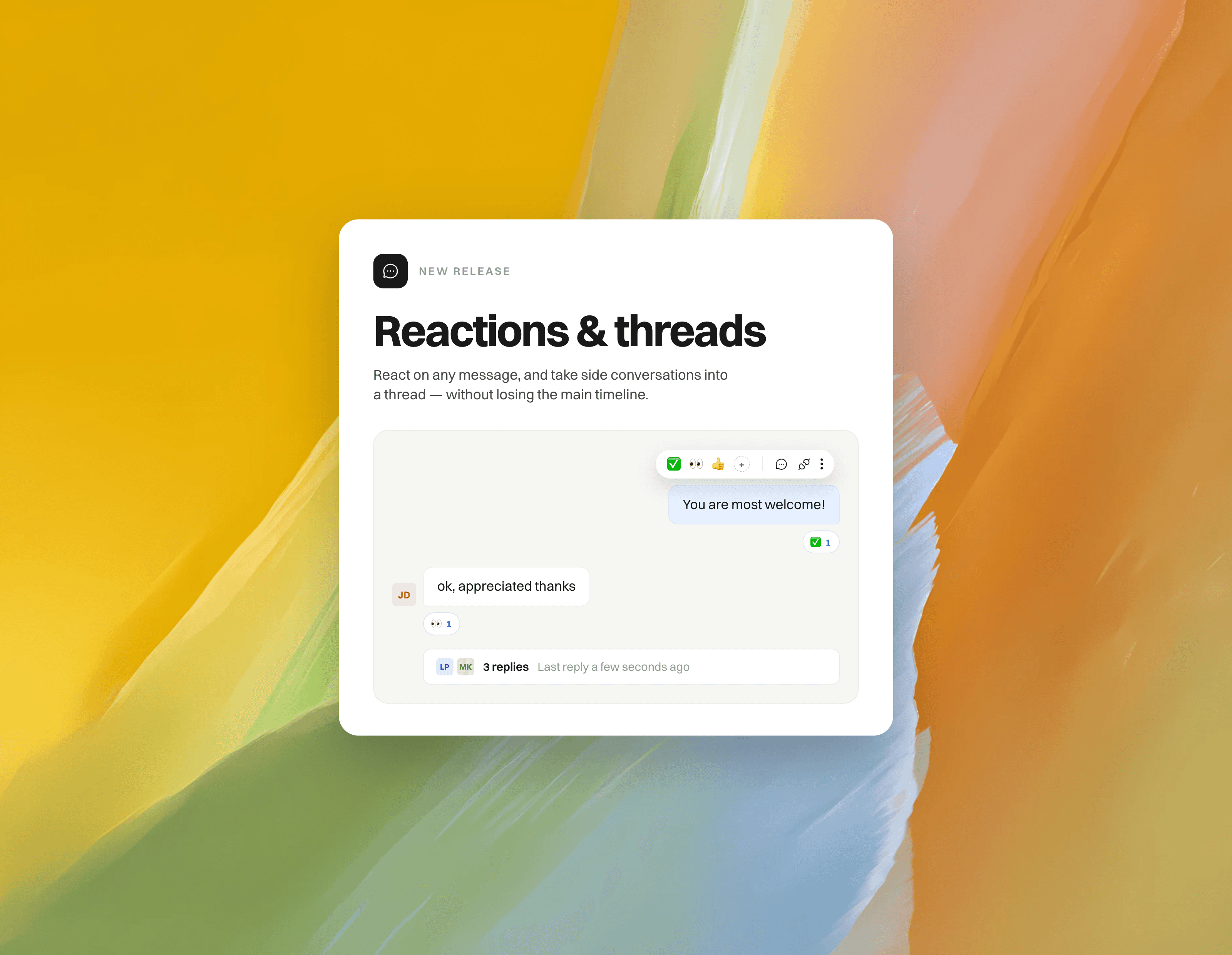
Reply in thread on any message to keep side conversations out of the main timeline.
The thread opens in a panel beside the conversation, with a draggable split so you can size it however you like.
A summary bar under the root message shows the reply count and who's involved, so nothing gets buried.
Threads work the same whether you're talking to a teammate or an agent.
 A rebuilt conversation view
A faster, calmer feed that holds its place as new messages come in.
Emoji reactions on any message — quick 

 on hover, full picker for everything else, with names on hover.
New composer with a persistent formatting toolbar and clear reply / internal note modes.
Cleaner message grouping, day separators, live typing indicators and delivery status.
Attachments render as typed file chips; images size themselves correctly.
Inbound emails render clean — no more trailing whitespace, quoted-tail noise, or gaps left by tracking pixels.
Ticket history now comes from a dedicated history service, so it stays complete and fast even on very long tickets.
 Keyboard-first
⌘K command palette — assign, snooze, set status, priority or tags, run a workflow, insert a macro, help center article or GIF, attach a file, translate a draft, hand off to an AI agent, or jump to another inbox or board. All without reaching for the mouse.
Shortcuts throughout: R reply, N note, E archive, A assign, Z snooze, S status, P priority, J/K to move between conversations, C for a new conversation. Press Shift + ? for the complete list.
Practice mode — a built-in trainer that drops you into a simulated inbox and teaches the shortcuts against a clock, with a score and a personal best. Open it from the palette or the empty inbox.
Learn more here: https://help.gleap.io/en/articles/226-keyboard-shortcuts
 Inbox & navigation
The inbox and board pickers now float over the list by default and pin when you want them docked — more room for the conversation itself.
Multi-select conversations in the inbox to act on several at once.
Resizable inbox list, details sidebar and thread panel. Drag to size, double-click to reset — your widths are remembered.
Jump straight to the next or previous conversation without going back to the list.
 Filters, sorting and tables
Rebuilt filter bar: add, edit and clear filters as chips, with a clear view of what's active.
New sort menu across boards and views.
Tables throughout the dashboard now support showing, hiding and reordering columns.
 Save an email as PDF
Export the original inbound email behind a ticket as a PDF, straight from the original-email view — no more going back into your mailbox to archive a message you already have in Gleap.
 Speed
SpeedSwitching between tickets in the same project now makes less than half the network requests it used to.
Re-opening a recently viewed ticket paints instantly from cache instead of showing a loading skeleton.
Scrolling long conversations, dragging cards on a board and receiving live updates are all noticeably smoother.
Searching inside very long conversations handles far more messages without stalling, and tells you when it has only searched the newest ones.
 Polish
Refreshed dialogs across the dashboard, with consistent headers, footers and sizing.
Unified tooltips (including shortcut hints), titles and dark mode on every screen.
One consistent AI-translate button everywhere translation is offered.