Changelogs
Stay up to date with the latest changes and enhancements.
Stay up to date with the latest changes and enhancements.

20. Apr 2026
Share
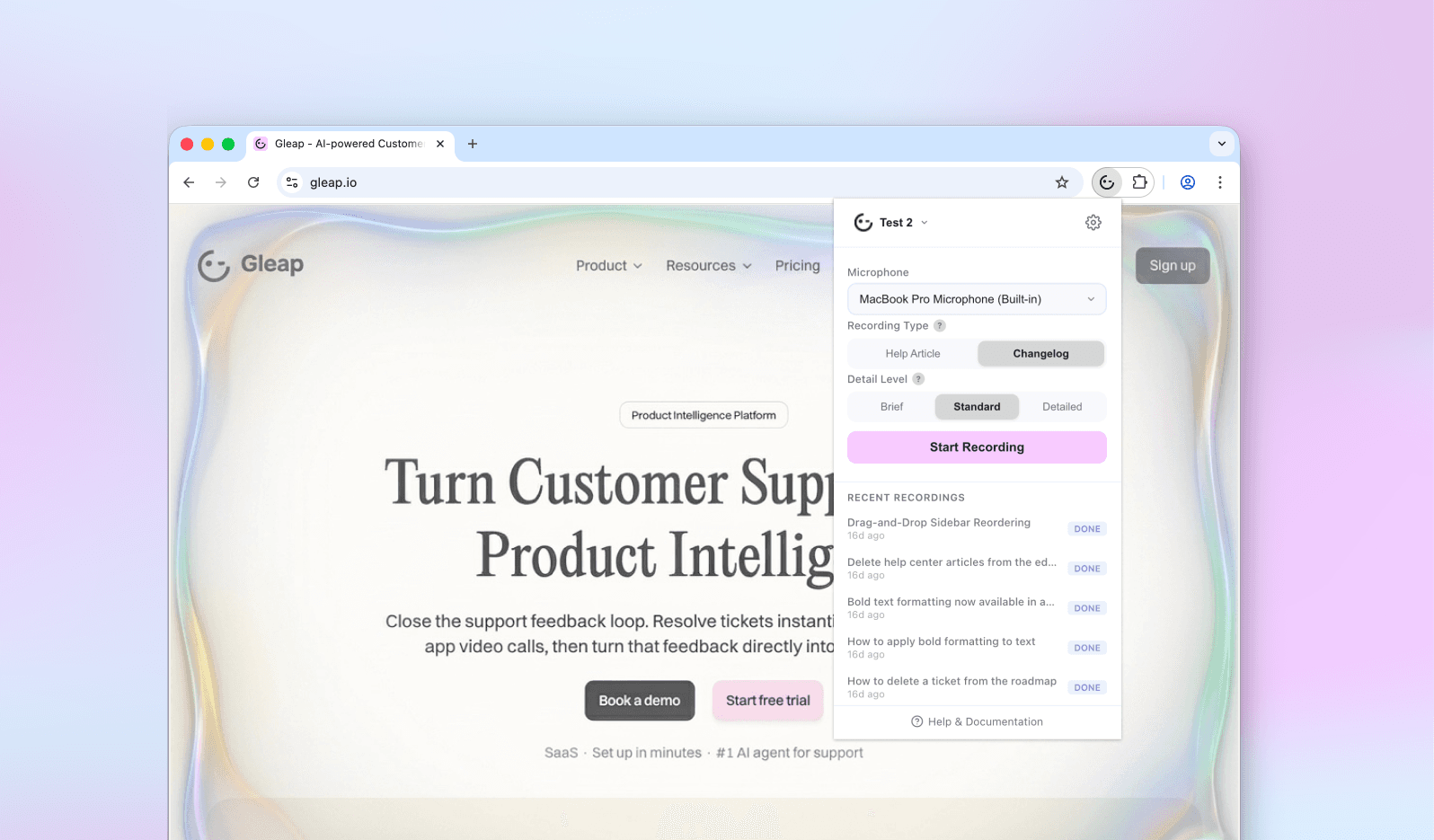
Writing documentation takes time you'd rather spend building. Our new AI-powered Chrome Recorder extension changes that — just record your screen, and Kai turns it into a polished help center article or changelog entry, ready to publish.
How it works:
Install the Gleap Chrome Recorder extension from the Chrome Web Store
Choose whether you want to create a help center article or a changelog entry
Hit record and walk through the feature, fix, or update you want to document
Kai automatically detects the key steps and picks the right moments for screenshots — most of the time, there's nothing to adjust
Want to fine-tune it? You can reorder or edit steps, add annotations, or turn any step into an animated GIF before submitting
Kai then writes a structured draft, which you can review and publish directly from your Gleap dashboard
Because Kai actually understands what's happening on screen, the drafts aren't just transcripts. You get proper headings, clear instructions, and screenshots pulled from the moments that matter.
Read more about creating help center articles or creating release notes with the Chrome Recorder.