Changelogs
Stay up to date with the latest changes and enhancements.
Stay up to date with the latest changes and enhancements.

25. Feb 2026
Share
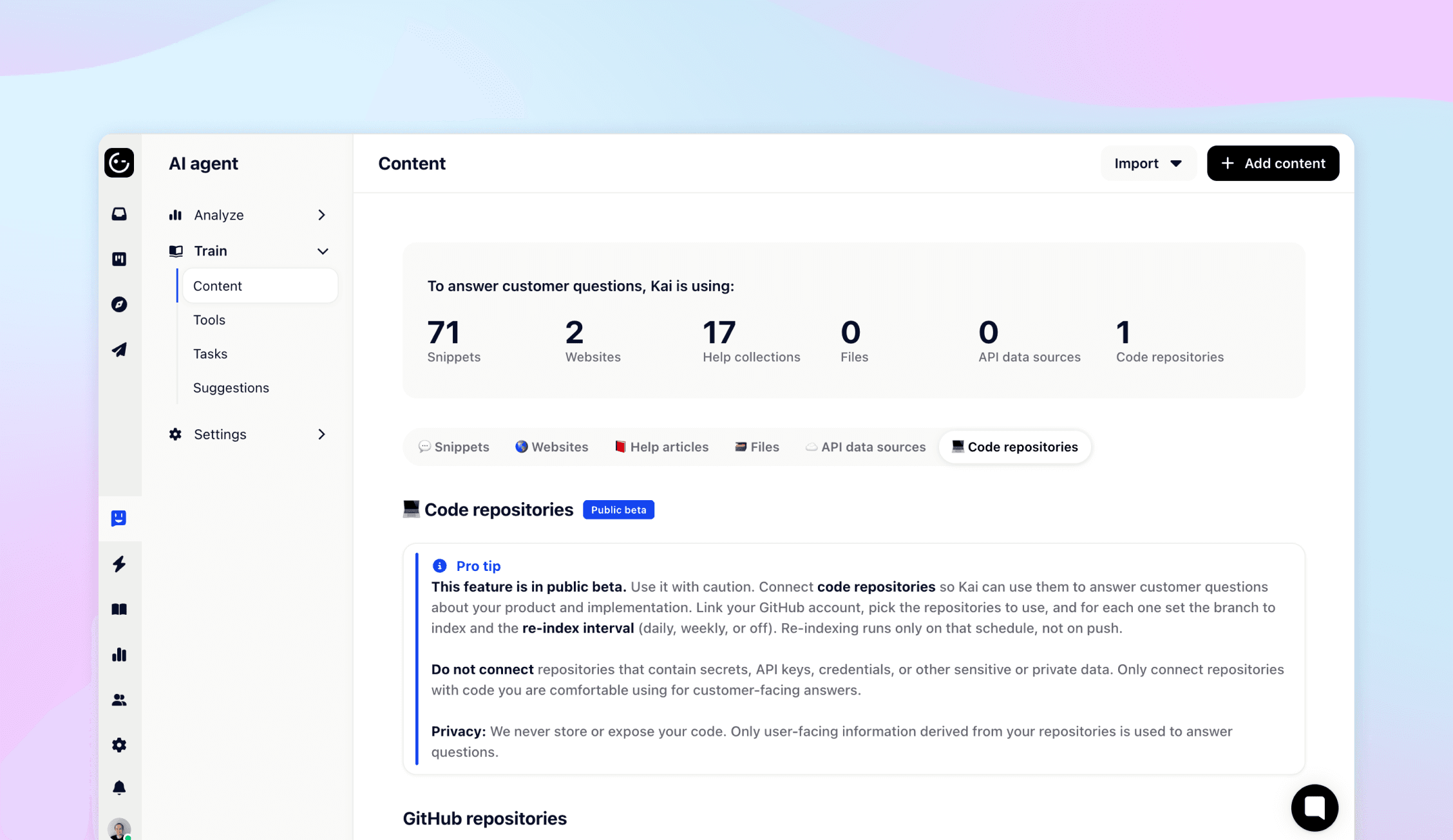
Kai can now index your codebase and use it to directly support your customers. Connect a repository and Kai will understand your application, so it can guide users through your product without needing manually written help articles for every detail.
This is especially powerful for frontend applications. Kai can help customers find settings, walk them through features, and explain how things work — all based on your actual code.
What's new:
Connect a Git repository to let Kai index your code
Kai uses your codebase as a knowledge source when answering customer questions
Customers get accurate, up-to-date guidance that reflects your actual product
Use cases:
"How do I change my notification settings?"
"Where can I update my billing info?"
"How do I enable dark mode?"
Kai locates the answer in your code and guides the customer step by step
Why this matters:
Your product evolves faster than your documentation. Code indexing lets Kai stay in sync with your latest shipped features automatically, reducing the need to constantly update help docs and knowledge bases.
Good to know:
Indexing consumes AI tokens and can take up to an hour depending on the size of your codebase. To give you a sense of scale — indexing our own project cost around $30 in AI tokens and produced roughly 15,000 knowledge points.
Get started:
Head to AI Agent → Content → Code Repositories to connect your first repository.